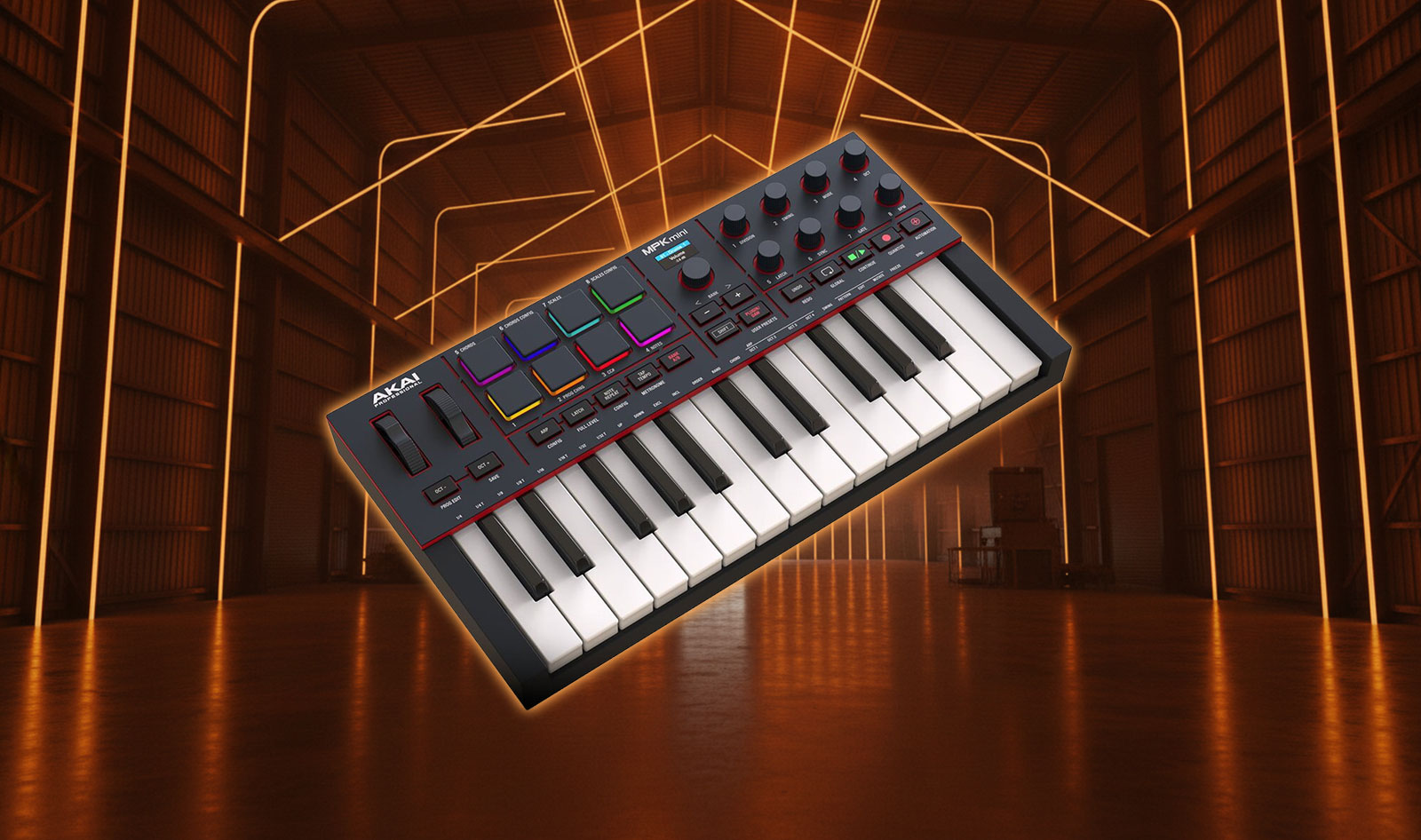
Akai MPK Mini IV takes the familiar mini‑key controller format and refines it with smarter hands‑on control, clearer workflow feedback, and more complete connectivity for modern producers. Built for musicians, DJs, and creators who need a portable controller that still feels expressive, this fourth‑generation MPK Mini focuses on practical upgrades you notice immediately in day‑to‑day sessions.
Akai MPK Mini IV stays firmly in the “grab‑and‑go” category: 25 velocity‑sensitive mini keys, eight MPC pads, and eight rotary controls in a compact body that fits easily on a desk or in a backpack. The difference is in how the controller helps you move faster. A colour display provides bidirectional feedback, dedicated transport controls aim to reduce mouse time, and the switch from a joystick to separate pitch and modulation wheels makes performance gestures more natural.
A familiar workflow, made more playable
Compact controllers often act as the bridge between ideas and a full arrangement. You want to lay down drums quickly, sketch a bassline, then capture a chord progression without constantly reaching for the laptop. MPK Mini IV is designed around that flow, keeping the core MPK layout while improving access to the functions you use most.
The addition of real pitch and modulation wheels is a key change. Wheels are a familiar interface for bending notes, adding vibrato, or riding a modulation macro during a take. Compared with a joystick approach, they can feel more consistent and easier to control with precision, especially when you are playing melodic lines rather than only triggering clips.
Pads, knobs, and the control surface you actually use
The MPK Mini IV keeps Akai’s MPC‑style pad workflow at the centre. The eight velocity‑ and pressure‑sensitive RGB pads are built for finger‑drumming, launching scenes, and triggering one‑shots, with two banks for expanded layouts. For beatmakers, this can mean one bank dedicated to drums and another for percussion, fills, or sample chops.
Alongside the pads, eight continuous rotary controls provide hands‑on shaping for instruments and effects. In practical terms, these knobs are where the controller earns its keep: filter sweeps, resonance, delay feedback, reverb sends, macro controls, and automation recording become faster when your hands stay on hardware instead of a trackpad.
Display and transport controls for faster DAW sessions
A compact controller becomes more enjoyable when it reduces friction. MPK Mini IV adds a colour display with bidirectional DAW feedback, so basic navigation and parameter awareness can happen at the controller, not only on screen. This is especially helpful when you are switching between instruments, adjusting mappings, or confirming which bank or mode you are in.
Dedicated transport controls support a more “instrument‑like” workflow inside a DAW. When play, stop, record, and related functions are reachable on the controller, it is easier to stay in a creative headspace—particularly during loop‑based production or when capturing multiple takes.
Performance tools: scale, chord, and arpeggiator features
MPK Mini IV includes intelligent scale and chord modes to make composing on a small keybed quicker and more reliable. For beginners, these modes can reduce wrong notes and help build confidence. For experienced producers, they can simply speed up the process of sketching progressions, especially when working in unfamiliar keys or when you want to audition harmonies rapidly.
The built‑in arpeggiator goes beyond a basic up/down pattern by offering pattern, freeze, and mutate functions. Used musically, these features can turn a simple chord or single note into a moving rhythmic line, then hold it in place (freeze) while you tweak sound design, or introduce controlled variation (mutate) to avoid repetitive loops. For electronic styles that rely on evolving motifs, this can be a strong creative shortcut.
Connectivity that supports both laptop and hybrid setups
MPK Mini IV is USB‑C, class‑compliant, and bus‑powered, which suits laptop production and mobile writing sessions. It also includes a sustain pedal input, making it more practical for playing parts rather than only tapping in notes.
A notable addition is the 5‑pin MIDI output. For users who run hardware synths, drum machines, or DAWless rigs, this connection can make the controller useful beyond the computer. Even if your primary workflow is in a DAW, having MIDI out can help when you want to control an external module while keeping your main project running on the laptop.
Software bundle and integration notes
Akai positions MPK Mini IV as an “out of the box” music‑making solution by bundling software that covers both a DAW entry point and a broad sound library. The included Ableton Live Lite 12 provides a lightweight production environment, while Studio Instrument Collection offers over 1,000 presets from AIR, Akai Pro, and Moog, spanning drums, bass, keys, synths, and effects. The source material also mentions Komplete Select 15 as part of the bundle, giving users another way to expand their palette quickly.
In real-world use, integration depends on your DAW and how you prefer to work. Some features—especially transport behaviour and deeper mappings—may require installing the manufacturer’s companion software to unlock full functionality. If you work in Pro Tools, it is also worth paying attention to plugin format support: the source text highlights that AAX compatibility is not available for some bundled instruments, which can limit direct plugin use inside that environment. Even so, the controller itself remains fully usable as a MIDI input device and control surface, and many users will simply lean on the included standalone sounds or work in DAWs that support the provided plugin formats.
Pros and Cons
Pros:
- Dedicated pitch and modulation wheels for more natural performance control
- Colour display with bidirectional DAW feedback for clearer workflow navigation
- Eight RGB MPC pads with two banks for finger‑drumming, clip launching, and performance control
- Eight assignable rotary controls for hands‑on parameter shaping and automation recording
- Transport controls to support faster DAW operation from the controller
- USB‑C, class‑compliant, and bus‑powered design suited to mobile setups
- 5‑pin MIDI output and sustain pedal input for expanded integration options
- Bundled software including Ableton Live Lite 12 and a large preset library via Studio Instrument Collection
Cons:
- Mini keys may not satisfy players who prefer full‑size keys or deeper key travel
- Full transport behaviour and mappings can depend on installing companion software and setting up templates
- Some bundled instruments may not fit every DAW environment if specific plugin formats are required
Pricing and Availability
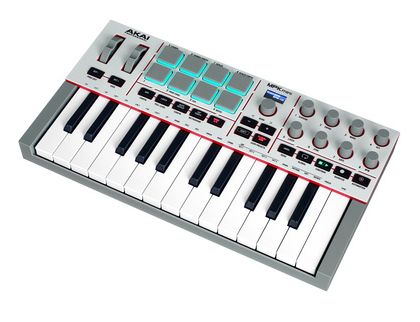
Akai MPK Mini IV is listed at €109 / $119 and available in grey and black colors.
More Info
Get more info on the official product page at AKAI’s website.
Conclusion
Akai MPK Mini IV does not try to reinvent compact MIDI controllers; it refines the parts that impact real sessions. The move to dedicated pitch and modulation wheels improves expressiveness, the colour display and transport controls support smoother DAW workflow, and the pads and knobs keep it flexible for beatmaking and sound design. With USB‑C portability, a sustain input, a 5‑pin MIDI output for hybrid rigs, and a software bundle that lets you start producing immediately, MPK Mini IV is positioned as a practical, affordable controller for both first‑time producers and experienced users who want a compact, reliable writing tool.